
Corner-point grids with 11 and 18 levels#
pyopmspe11 supports the 18-level SPE11 corner-point grid and the more regular 11-level grid used in recent FluidFlower history-matching work.
Prepare the configurations#
Use examples/spe11b.toml for the 18-level grid. Its z_n array contains
one refinement value for each of the 18 geological levels.
Create spe11b_11-levels.toml from the same file and replace z_n with
the following 11-entry array:
z_n = [2, 2, 2, 3, 2, 2, 8, 4, 8, 8, 1]
Each entry sets the vertical refinement within one geological level. The number of entries selects the bundled corner-point geometry: 11 entries use the 11-level reference mesh, while 18 entries use the standard 18-level SPE11 reference mesh.
Run the cases#
Set pyopmspe11 -f to 0 to write the generated deck and
simulation files directly in each output folder:
pyopmspe11 -i spe11b.toml -o 18_levels -f 0
pyopmspe11 -i spe11b_11-levels.toml -o 11_levels -f 0
Compare cell thickness#
Use plopm to compare dz for both grids:
plopm -i '18_levels/18_LEVELS 11_levels/11_LEVELS' -v dz -sg 2,1 -rdl 1 -asp 0 -st 0 -ge 'black,1e-2' -cbp 0.35,0.97,0.3,0.02
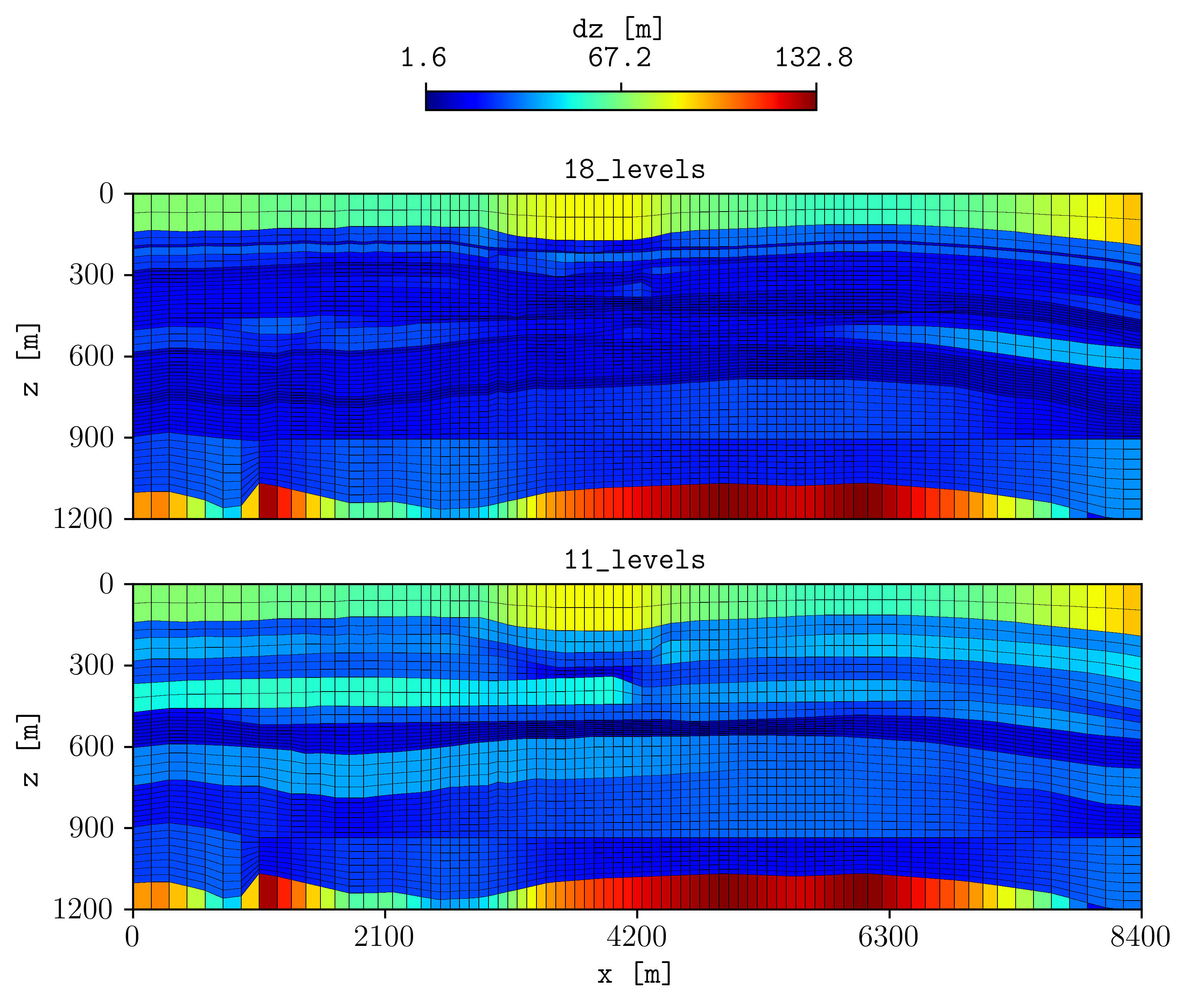
The figure compares the cell thicknesses generated with the standard 18-level grid and the more regular 11-level grid.
See z_n for the z_n definition and
Grid and geometry for all grid and refinement variables.
Reproduce this example#
Run the maintained script from the repository root:
. ./tests/scripts/docs_cp_grids.sh