Nested Hybrid Grid
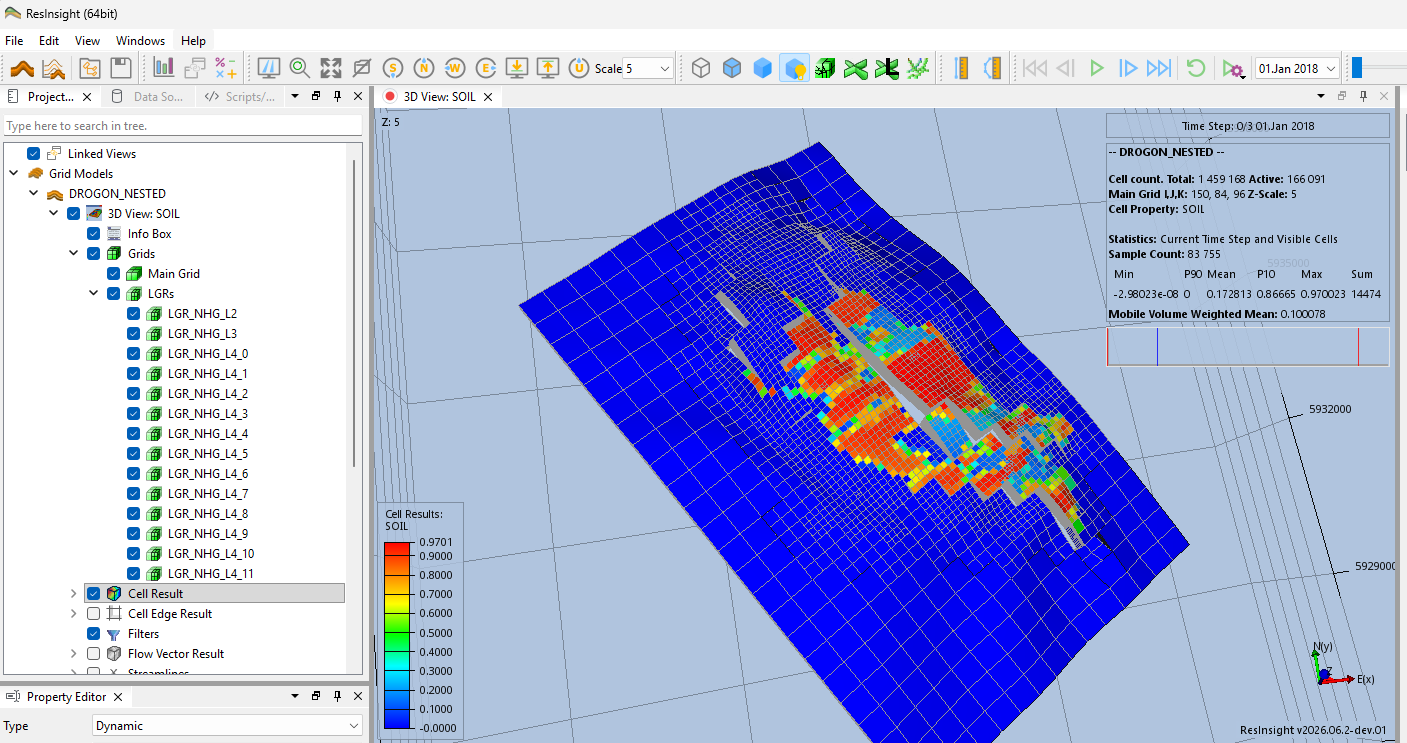
ResInsight can import nested hybrid grids (NHG) as produced by xtgeo/fmu-tools, and present them as a proper LGR hierarchy.
A nested hybrid grid is a single flat EGRID file in which a refined region is appended to the end of the I axis at higher resolution and connected to the coarse grid through NNCs. In IJK space the refined cells are far from their coarse parent cells, but their geometry (COORD/ZCORN) places them inside the coarse region. The coarse parent cells are collapsed to zero volume, and the parent of each refined cell is supplied by sidecar files next to the grid file.
When the sidecar files are present, ResInsight reconstructs each refined region as a real local grid (LGR) with correct geometry, parent-cell links, and results. Normal grids without sidecar files are unaffected.
Sidecar Files
The sidecar files are detected automatically next to the grid file. For a grid file named DROGON_NESTED.EGRID, ResInsight looks for:
DROGON_NESTED_REFINE.grdecl– contains theREFINEkeyword: the nesting level of each cell (1 = unrefined base grid, 2/3/4 = refined levels). The property is loaded as a discrete category property, useful for coloring and filtering by refinement level.DROGON_NESTED_OLDIJK.grdecl– contains theOLDI/OLDJ/OLDKkeywords (1-based IJK of the cell’s coarse parent cell) andTMPI/TMPJ/TMPK(the cell’s local position in refined coordinate space). These are loaded as input properties so the parent-cell mapping is visible in the user interface and available for scripting.
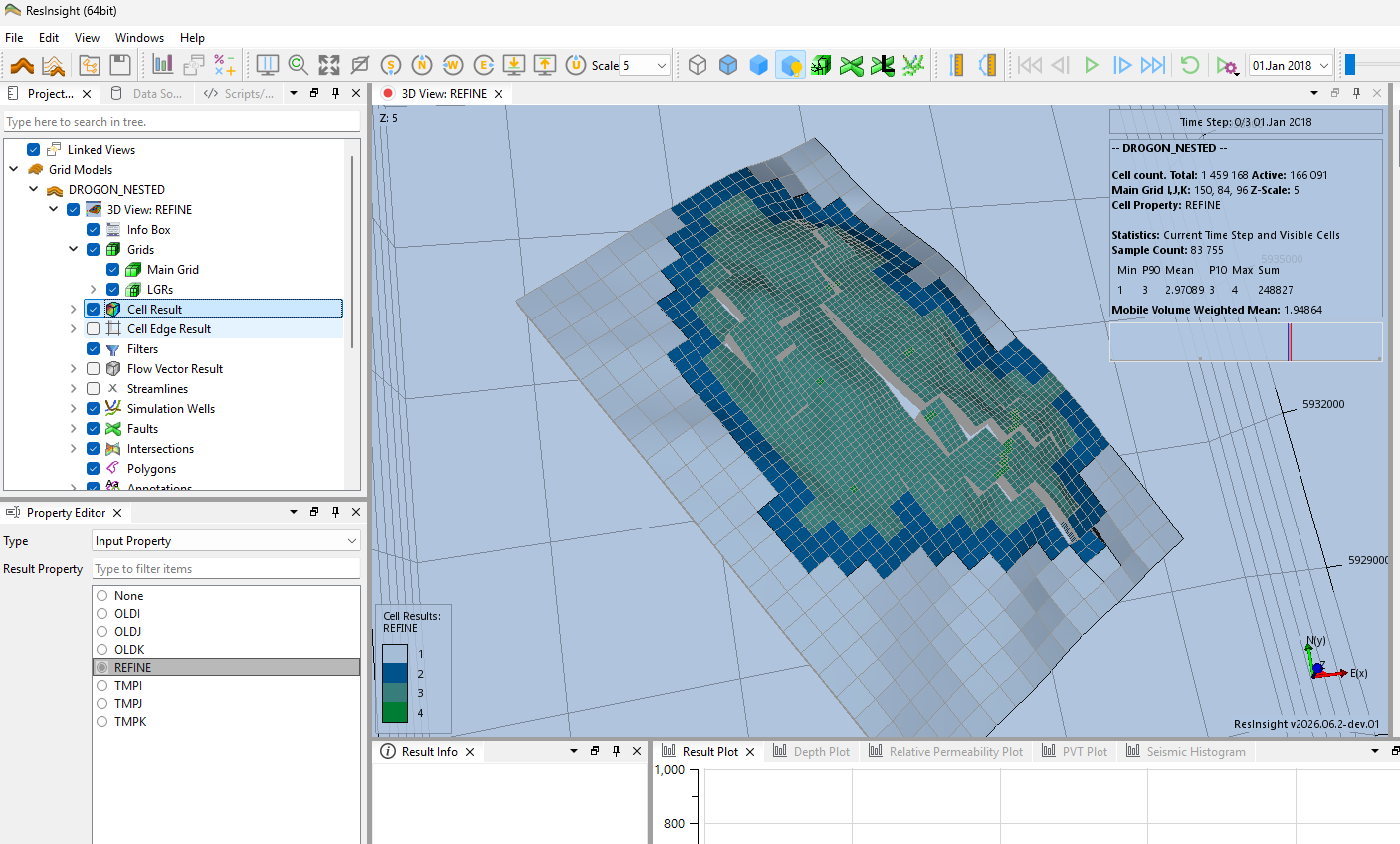
The sidecar properties appear as Input Property in the Cell Result property editor. Here the REFINE property colors the cells by refinement level.
Both files are required for LGR reconstruction. No user action is needed beyond importing the grid file as a regular reservoir simulation case, see Grid Import.
LGR Reconstruction
During import, ResInsight rebuilds each refined region as a true local grid:
- The refined cells are moved into a local grid with correct geometry and
INDEX_I/INDEX_J/INDEX_Kvalues. - Each refined cell is linked to its coarse parent cell using the
OLDI/OLDJ/OLDKmapping. - The original scattered cells appended along the I axis are hidden from display.
- Static and dynamic results are transferred onto the LGR cells, and NNCs from the file are re-pointed to the reconstructed cells.
Nesting is supported to arbitrary depth – a refined region may itself contain further refined regions, and each level is reconstructed as its own local grid. The reconstructed grids appear under Grids > LGRs in the Project Tree, named LGR_NHG_L<level>, with a numbered suffix when a level consists of multiple disconnected regions.
Results
The reconstructed LGR behaves like any other local grid in ResInsight:
- Static and dynamic results are available on the refined cells, including computed results such as
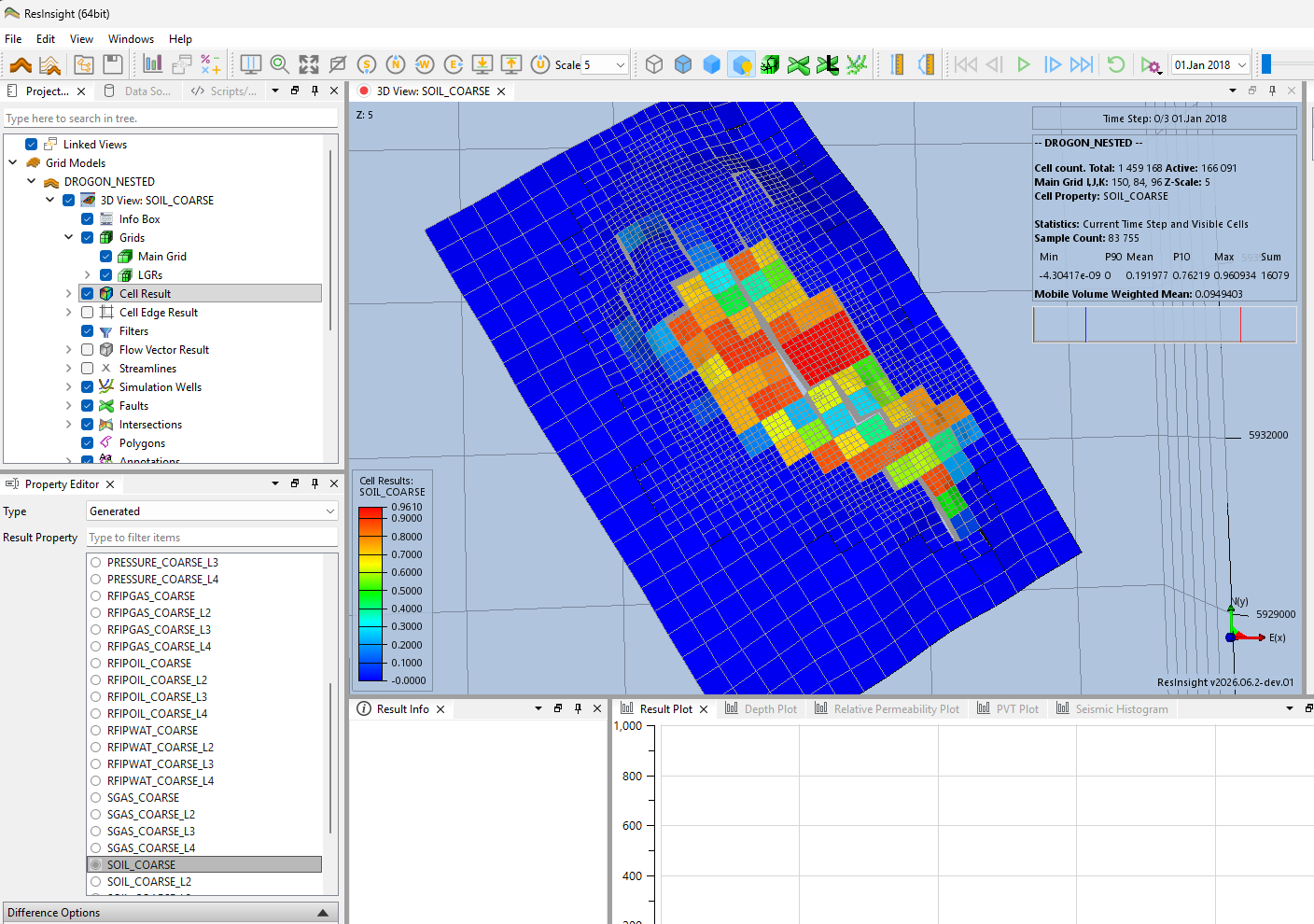
SOIL. - Coarse parent cells receive aggregate values computed from their refined children – pore-volume-weighted averages for saturations and pressure, and sums for FIP results. This makes results continuous when viewing the coarse grid alone.
- Per-level volume-weighted aggregates are available for quality control of the reconstruction.
The aggregates appear as Generated properties in the Cell Result property editor, named <RESULT>_COARSE for the values assigned to the coarse parent cells, and <RESULT>_COARSE_L<level> for the per-level aggregates, e.g. SOIL_COARSE and PRESSURE_COARSE_L3.
Visualization
The refined region is displayed in place inside the coarse grid. Cell faces on the boundary of a local grid are drawn correctly also where the refined boundary does not conform to the coarse cell faces.
Use the REFINE category property to color cells by refinement level, or combine it with Cell Filters to isolate a given level.