Linux User Interface
Open/Save File window when using GNOME
Default behaviour for the file open/save window (and other popup windows) in some GNOME environments is to move the underlying main window when you move the file window. This makes it impossible to move the file window to check something that is currently hidden behind it.
This behaviour can be changed, either by using the gnome-tweaks utility or by issuing a command on the command line
gnome-tweaks
Start the tool i.e. by typing gnome-tweaks in a terminal window. If available, the gnome-tweaks UI should show up:
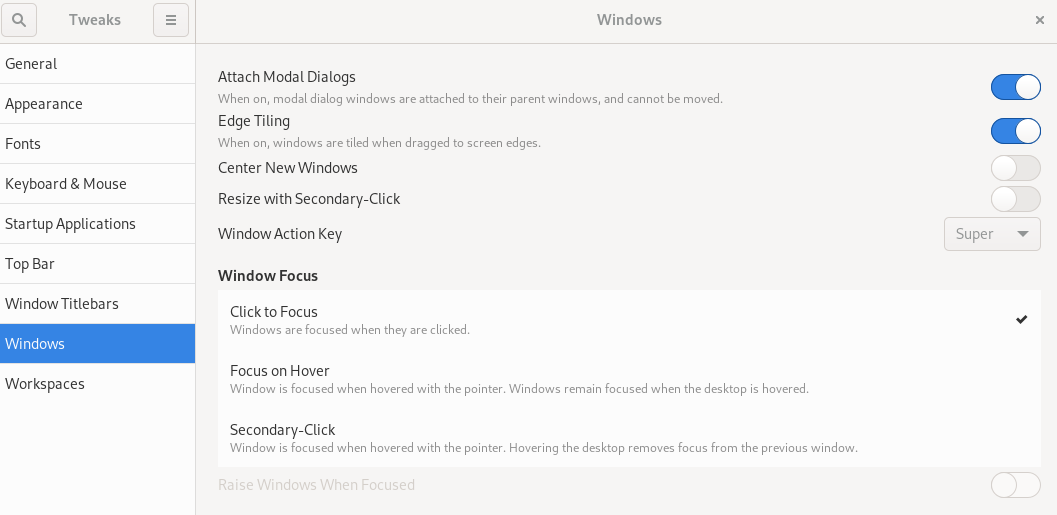
Turn off the option “Attach Modal Dialogs”.
Command line
If gnome-tweaks isn’t available on the system and cannot be installed, one could use the gsettings command line utility by typing the following on the command line: